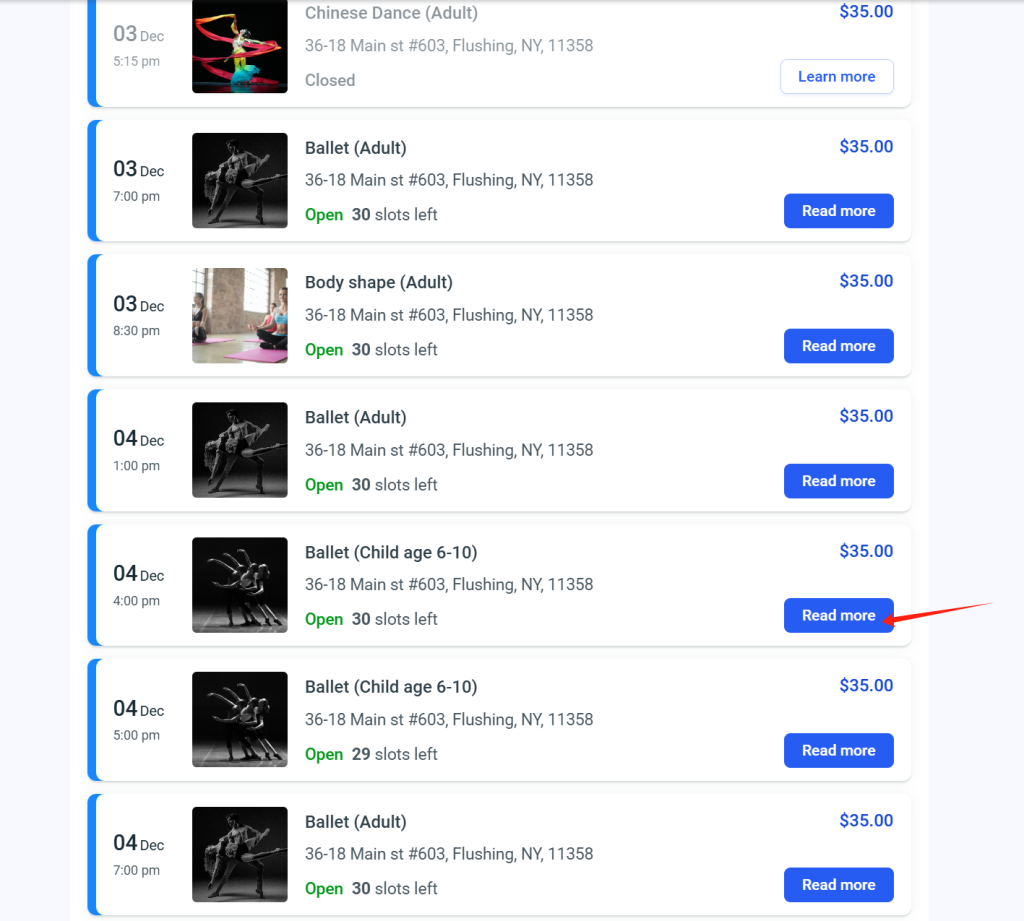
First, we need to select the course we want to attend, and then click “Read More.”
选择课程 首先,浏览课程列表,选择您想要参加的课程,然后点击 Read More。
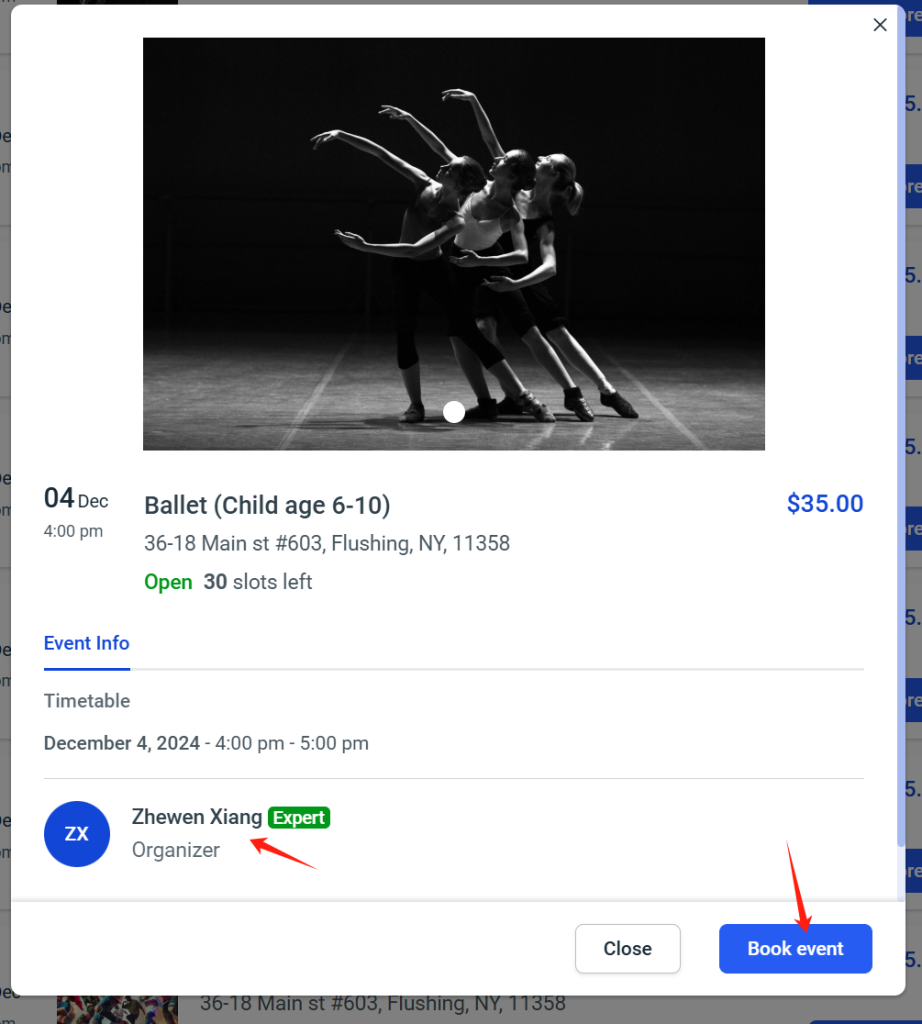
After that, we can see the date, time, and teacher information for the course. Once you have confirmed the details, if this is indeed the course you want to attend, please click “Book Event.”
查看课程详情 进入课程页面后,您可以查看课程的日期、时间以及授课老师的信息。确认信息无误后,点击 Book Event。
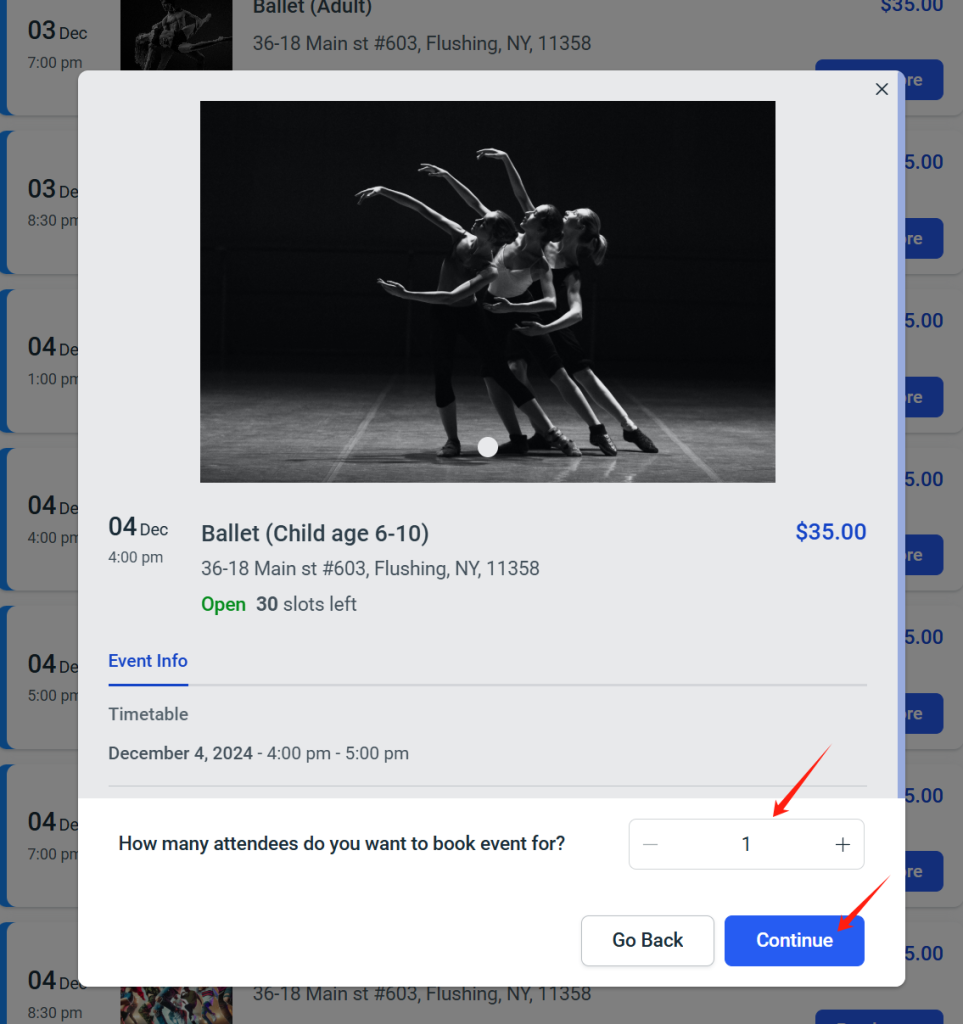
Select the number of participants. If it’s just you, please enter “1.” If you want to bring friends along, enter the actual number of participants (including yourself), and then click “Continue.”
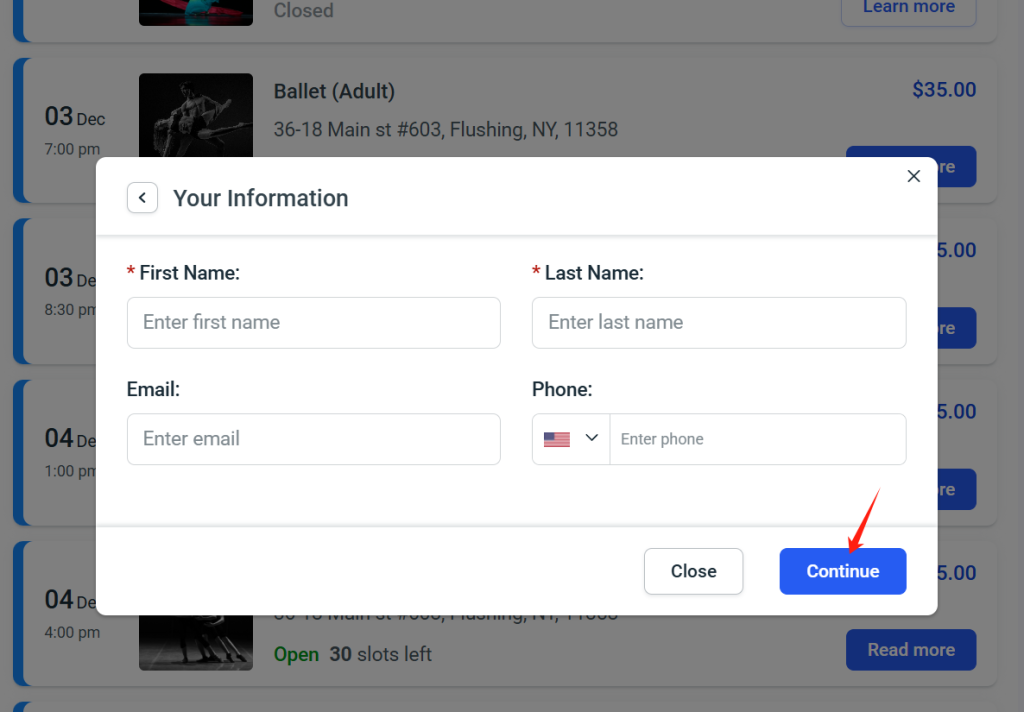
Please fill in your last name, first name, email, and phone number so we can confirm the participant’s information and contact you if needed, then click”Continue.”
填写个人信息 请填写您的姓、名、邮箱和电话号码,以便我们确认参与者信息并与您联系。
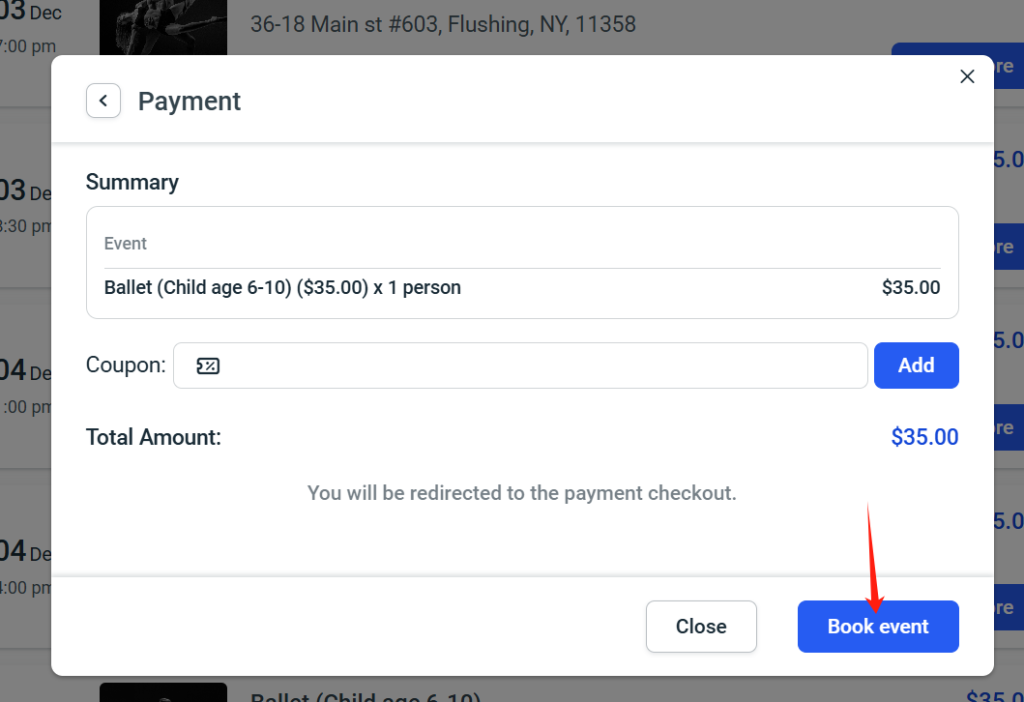
Please confirm the number of participants and the price, then click “Book Event.”
确认人数和价格 核对参加人数和总价格,确认无误后点击 Book Event。
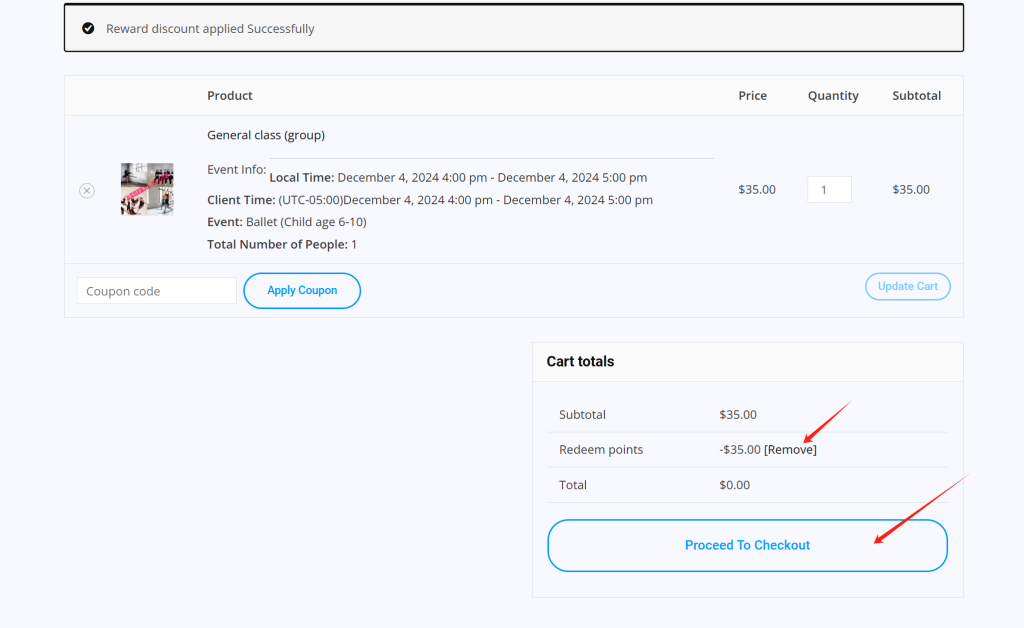
Then, you will be directed to this page, where you can decide whether to use our points for payment. If you don’t want to use them, click “Remove.” If you confirm using our points for payment, please click “Proceed to Checkout.”
选择付款方式
使用点数支付:如果您想使用我们的点数,请点击 Apply Points,然后点击 Proceed to Checkout。
不使用点数:如果不想使用点数,请点击 Remove,然后直接点击 Proceed to Checkout。
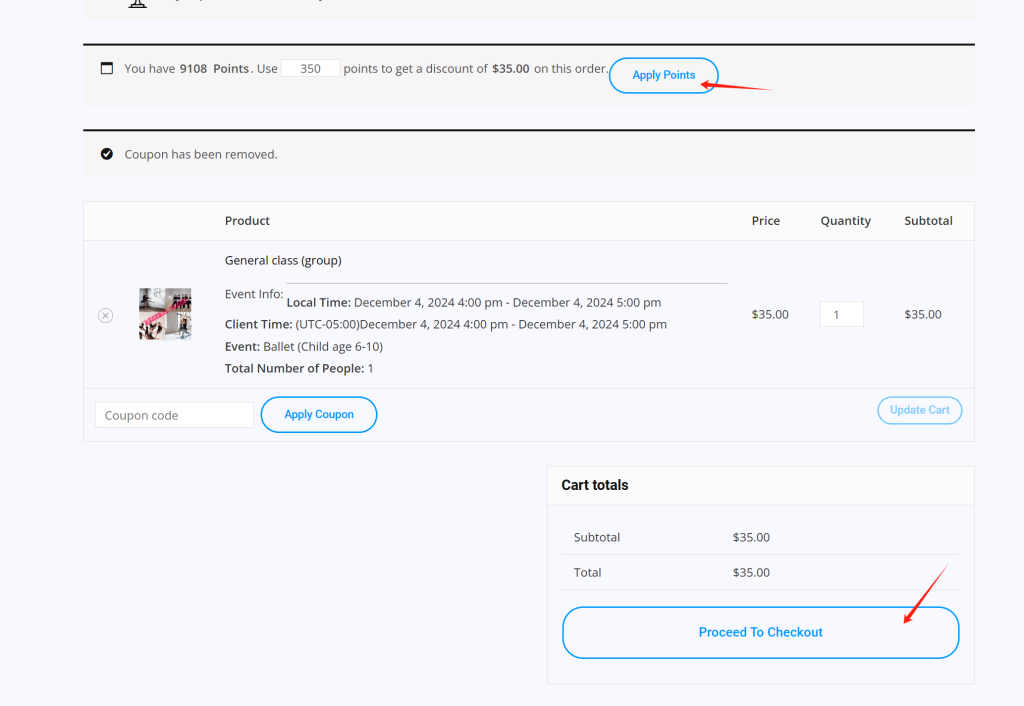
If you change your mind and decide to use our points for payment, please click “Apply Points,” and then click “Proceed to Checkout.”
如果您改变了主意,想使用我们的点数用于付款的话,请点击”Apply points,”然后点击”Proceed to checkout.”
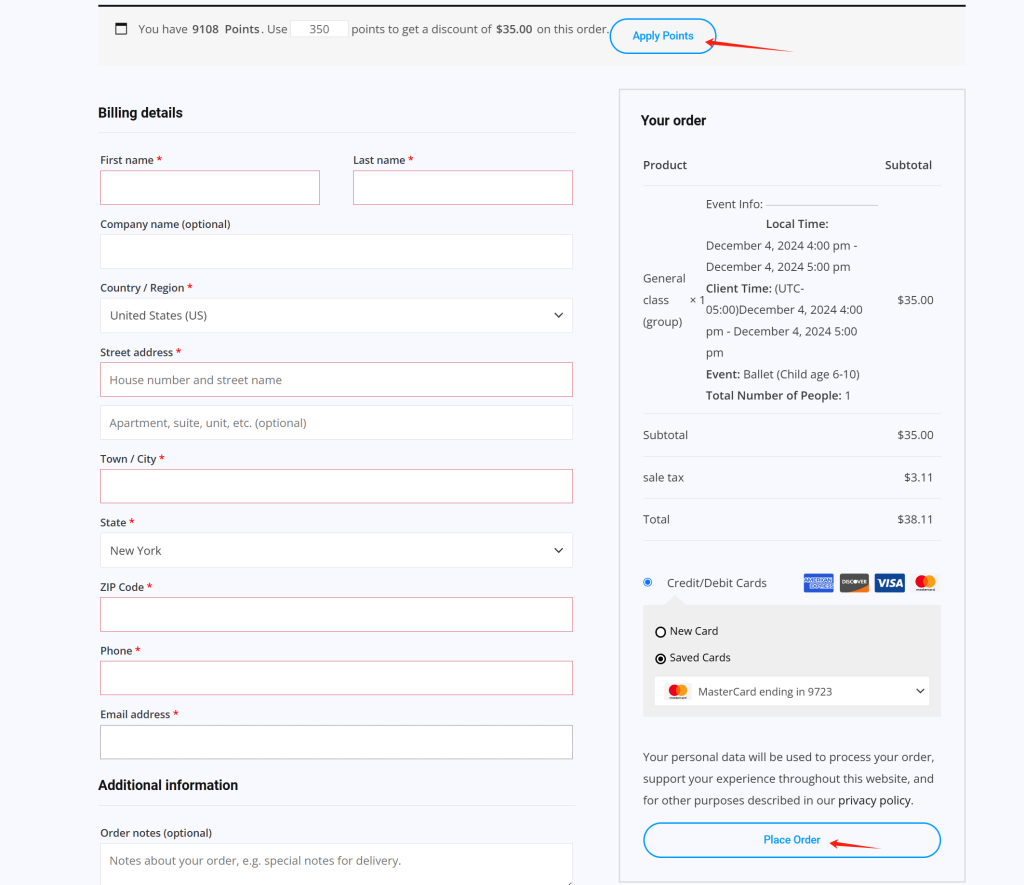
The final step is to fill in your credit card information if needed, or, if you want to use our points, click “Apply Points.” After that, please click “Place Order.” This will complete your course booking.
完成订单 最后,填写您的信用卡信息,或者再次确认使用点数(点击 Apply Points)。然后点击 Place Order,完成预约流程。